

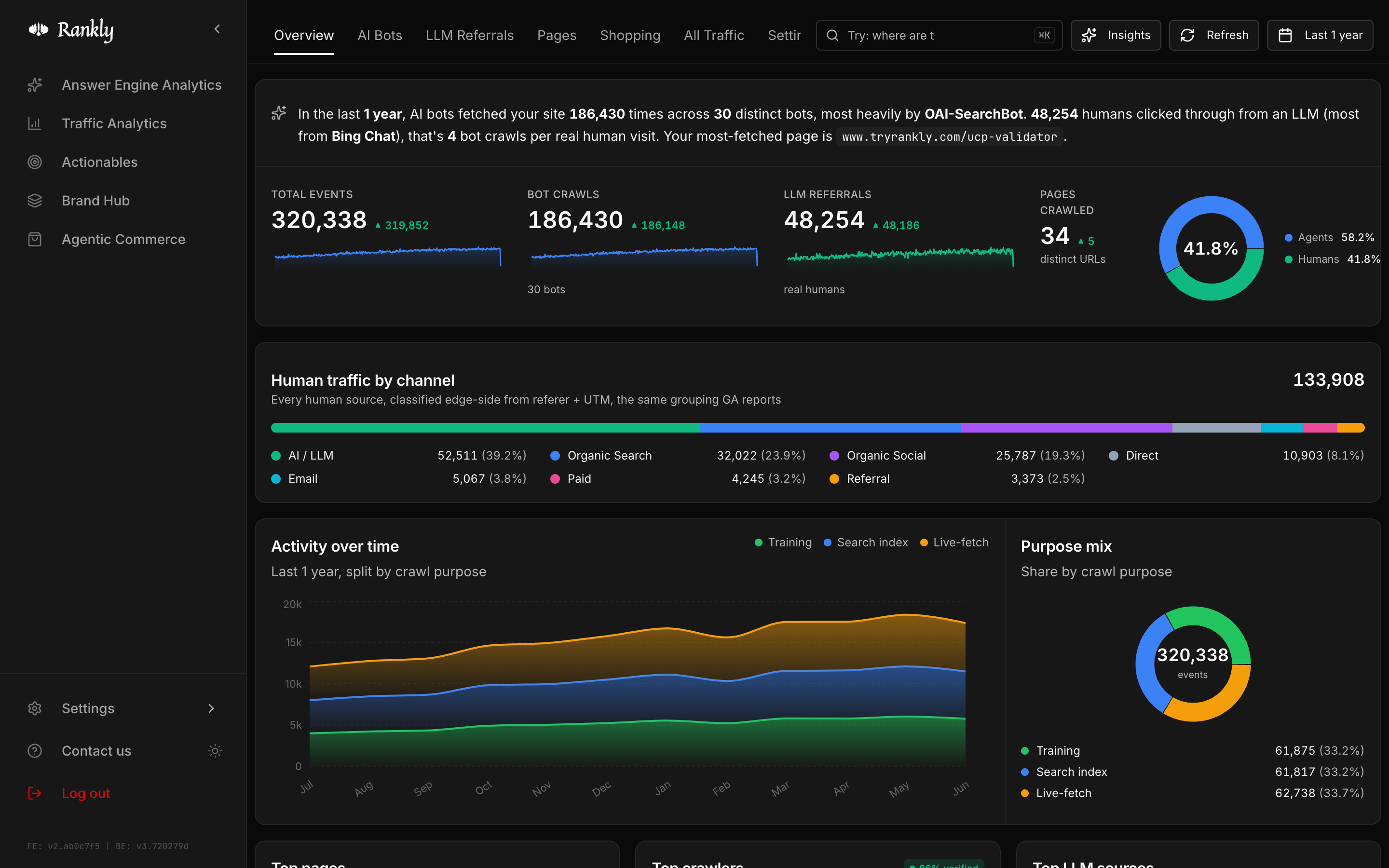
 Rankly Agent Analytics shows you how AI agents crawl, scrape, and cite your
website, and whether that turns into real traffic. It runs at your edge, so it
counts every agent the moment it hits your site, even the ones that never run a
tag.
Rankly Agent Analytics shows you how AI agents crawl, scrape, and cite your
website, and whether that turns into real traffic. It runs at your edge, so it
counts every agent the moment it hits your site, even the ones that never run a
tag.
Agent Analytics and Traffic Analytics are
free for every user. Agent Analytics covers the bots at your edge; Traffic
Analytics covers the humans through Google Analytics 4. Together they show AI
on your site end to end, from the crawl to the click.
What you get
Edge capture
Count every agent at the edge, even when it never runs a tag.
Identity checks
Verify each bot against vendor IP ranges and auth signatures.
Origin mapping
See where agents connect from across countries and networks.
Intent signals
Group bots by what they do: train, index, fetch, or shop.
Start here
Quickstart
Connect your site and see your first agent in minutes.
How it works
The path a request takes from your edge to your dashboard.
Connect your platform
Pick the platform your site runs on. Each guide is a short, copy-paste setup.Shopify
Connect a Shopify store through the edge. No theme code.
Cloudflare
Paste a Worker. Works on the free Cloudflare plan.
AWS CloudFront
Stream CloudFront logs through Firehose to Rankly.
Google Cloud
One Cloud Shell block for Cloud Run, Load Balancer, or GAE.
Fastly
Point a real-time log endpoint at Rankly.
Akamai
Send DataStream 2 events to Rankly.
Vercel
Drop a middleware file, or use a Log Drain.
Netlify
Add an edge function, or use a Log Drain.
Self-hosted nginx
Forward access logs with Fluent Bit.
Custom
Any platform. POST JSON from your own code.
Need a hand
Book a call
Get on a 30-minute call and we’ll help you connect your site.
Troubleshooting
No data yet? Wrong numbers? Start here.
Email us
Reach the team at support@tryrankly.com.
Browse integrations
Find the guide for your platform.
Need help getting set up? Book a 30-minute call
and we’ll walk you through it.